
What FastDL is and how custom content downloads in CS 1.6
FastDL sends custom maps, models and sounds to players over HTTP instead of through the game server. How it works, how to set it up and what to check.
- Last checked
- Steps
- 5
- Reading time
- 4 min
- On Hostsrc
- Includes the steps for a Hostsrc server
FastDL (fast download) is a web server that holds a copy of your server's custom files. When a player joins without a map, model, sound or sprite your server uses, the game downloads it from the address in sv_downloadurl over HTTP. Without FastDL, the same file comes from the game server itself, which is much slower and holds up the join.
To use it, the files must sit at the same paths under the FastDL URL as under your server's cstrike folder.
On Hostsrc
FastDL is included on every plan. We set sv_downloadurl in your server.cfg each time the server starts, so you don't need to set it yourself.
Before you start
- The custom files already on your game server, in the right folders (step 1).
- For your own FastDL: a web server that serves plain HTTP.
Steps
Step 1: Put the custom files in the right folders
Upload each file to the folder the game expects, under
cstrike. A player can only download what the server itself has. In Files, open the folder and press Upload, or connect over SFTP with the details in the SFTP menu.cstrike/maps/ maps (.bsp) and their resource lists (.res)cstrike/ texture files (.wad) that a map usescstrike/models/ models (.mdl)cstrike/sound/ sounds (.wav)cstrike/sprites/ sprites (.spr)cstrike/gfx/env/ sky textures (.tga)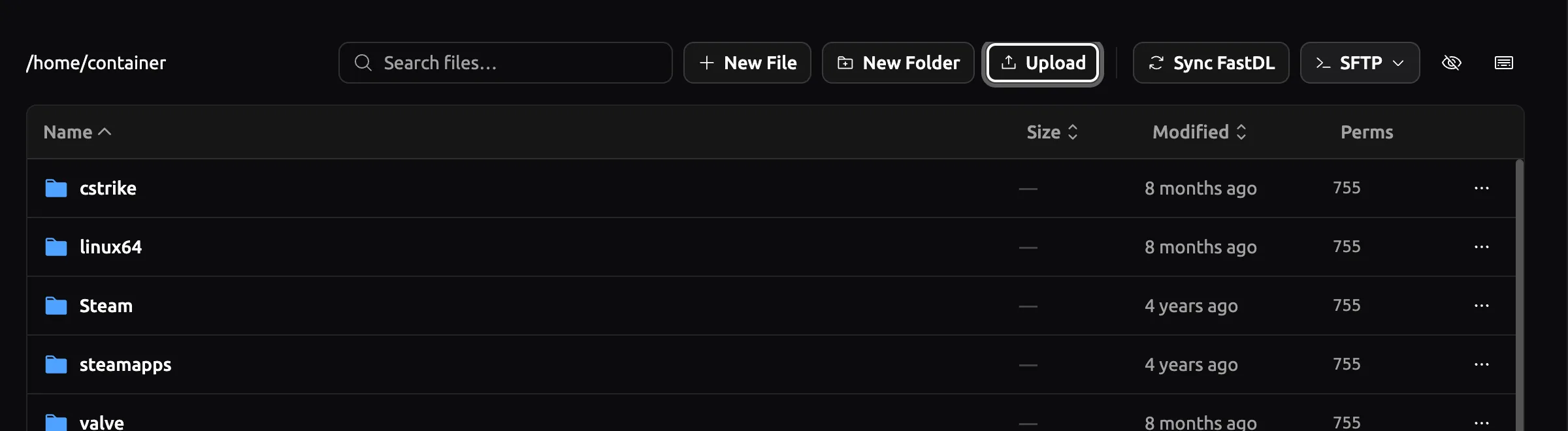
Panel as of
Note
File names are case-sensitive on Linux servers and web servers.
de_Example.bspandde_example.bspare two different files.Step 2: Make the files available to FastDL
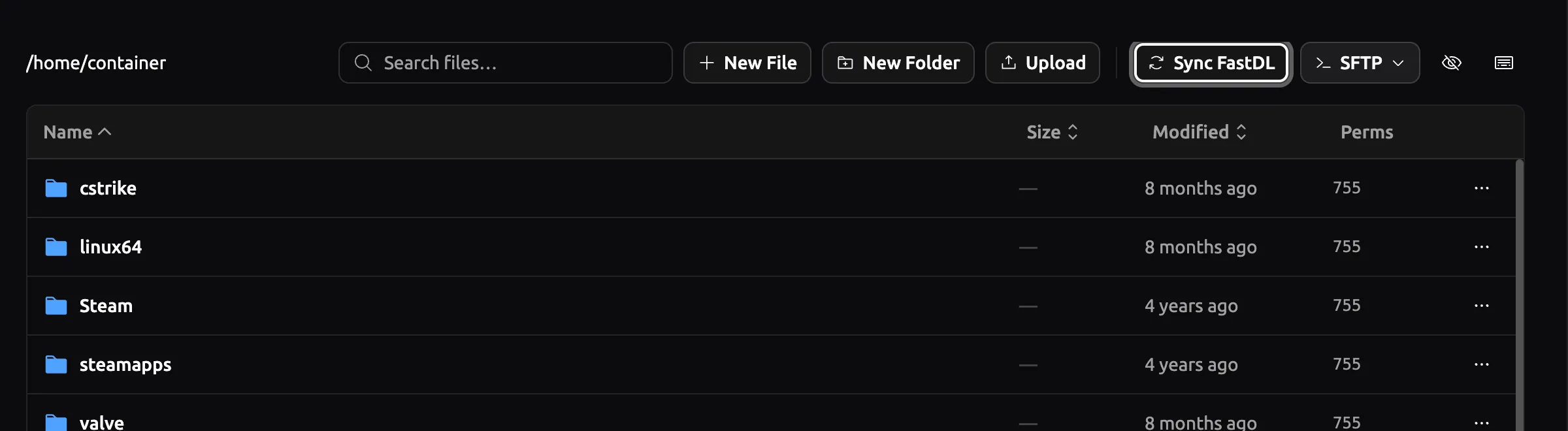
On Hostsrc, press Sync FastDL in Files after you upload. It sets the permissions on your files so FastDL can serve them.
On your own FastDL, copy the same files to the web server and keep the same folder layout. Upload them uncompressed, with the same names as on the game server.
Panel as of
Step 3: Check sv_downloadurl
Type
sv_downloadurlin the server console. It prints the URL clients will use. On Hostsrc it is already set for you.On your own FastDL, set it in
server.cfg. Usehttp://, end it with/, and point it at the folder that holdsmaps/,models/andsound/.cstrike/server.cfg sv_downloadurl "http://203.0.113.80/cstrike/"sv_allowdownload 1Warning
Use plain HTTP with no redirect. CS 1.6 doesn't download FastDL files over HTTPS, and a redirect to HTTPS stops the download too.
Step 5: Test it from a clean client
Remove the file from your own game, then join your server. The console shows each file as it downloads, and the map should load without a long wait.
The game keeps downloaded files in a separate
cstrike_downloadsfolder in its install directory. Delete the file from there to test again.
How custom content downloads
When a player connects, the server sends a list of every file the map and plugins need. The game checks which of them it already has. For each missing file, it asks the FastDL URL first, at the same path as on the server, such as maps/de_example.bsp. If that fails and sv_allowdownload is on, it falls back to downloading from the game server.
Three things decide what is on the list:
- The map itself, plus any
.wadit uses. - The map's
.resfile, which lists extra sounds, models and sprites the map needs. - Plugins, which add their own sounds, models and sprites.
Players who turned downloads off in their game (cl_allowdownload 0) don't download anything. They need to turn it back on to join a server with custom content.
Troubleshooting
Downloads are slow, as if FastDL isn't used
Type sv_downloadurl in the server console and check the value. If it's empty or wrong, another config may set it after server.cfg. On your own FastDL, check the URL is http://, has no redirect and ends with /.
The map downloads but textures are missing
The map uses a .wad that isn't on the server or on FastDL. Put the .wad in cstrike/ on both, and check the map's .res file lists it.
One file downloads slowly or not at all
The file isn't at the URL the game asks for, so the game falls back to the game server, or gives up if sv_allowdownload is 0. Open the URL plus the file's path in a browser, such as http://203.0.113.80/cstrike/maps/de_example.bsp. If it returns an error, fix the folder level or the case of the name.
Links
- FastDL isn't working for me (external site, opens in a new tab)
Steam Community, the HTTPS problem
- GoldSrc/SteamPipe directories (external site, opens in a new tab)
Valve Developer Community, where downloaded files are kept
- Counter-Strike 1.6 server hosting
FastDL is included on every Hostsrc plan
Counter-Strike 1.6 server hosting
From €5.99/month for 14 players
Frankfurt or Bucharest. Final price, no VAT added.
Build my serverStart a paid test from €1.99Discord
Ask other admins and our team.
Join our Discord (external site, opens in a new tab)Related guides
How to install an AMX Mod X plugin on a CS 1.6 server
Copy the .amxx file into the plugins folder, list it in plugins.ini and change the map. Covers extra files, modules and fixes for "bad load".
7 steps4 min readOn Hostsrc
How to connect to a CS 1.6 server by IP and add it to favourites
Type connect with the IP and port in the console, or add the address to your favourites. Covers passwords, ports and the favourites bug.
6 steps2 min readNew to running a serverOn Hostsrc
How to add an admin to a CS 1.6 server with users.ini
One line in users.ini makes a player an admin. Use their SteamID and the "ce" account flags, then reload admins. Includes the full flags table.
5 steps4 min readNew to running a serverOn Hostsrc