
How to install an AMX Mod X plugin on a CS 1.6 server
Copy the .amxx file into the plugins folder, list it in plugins.ini and change the map. Covers extra files, modules and fixes for "bad load".
- Last checked
- Steps
- 7
- Reading time
- 4 min
- On Hostsrc
- Includes the steps for a Hostsrc server
To install an AMX Mod X plugin, copy its .amxx file into cstrike/addons/amxmodx/plugins/. Add the file name on a new line in cstrike/addons/amxmodx/configs/plugins.ini. Then change the map or restart the server, because AMX Mod X reads plugins.ini only when a map loads.
Check it worked with amxx plugins in the server console. Your plugin should show as running.
On Hostsrc
New servers start from our base pack, so AMX Mod X, Metamod and the core configuration are already in place. You only add the plugin.
Before you start
- The plugin as a compiled
.amxxfile. A.smafile is source code and has to be compiled first. - The plugin author's instructions. Many plugins need extra files, a module or a minimum AMX Mod X version.
- A way to edit your server's files. In the control panel, open Files in your server's menu.
Steps
Step 1: Read what the plugin needs
Open the plugin's page or readme before you upload anything. Note the AMX Mod X version it was built for, the modules it needs, and any extra files such as sounds, models or its own
.inifile.A plugin built for a different AMX Mod X version may not load. If the author only gives a
.sma, compile it with the compiler from your server's AMX Mod X version.Step 2: Upload the .amxx file
Put the
.amxxfile incstrike/addons/amxmodx/plugins/. Keep the file name exactly as it is. In Files, open the folder and press Upload, or connect over SFTP with the details in the SFTP menu.If you also have the
.sma, it belongs incstrike/addons/amxmodx/scripting/. The server never reads it, so it is optional.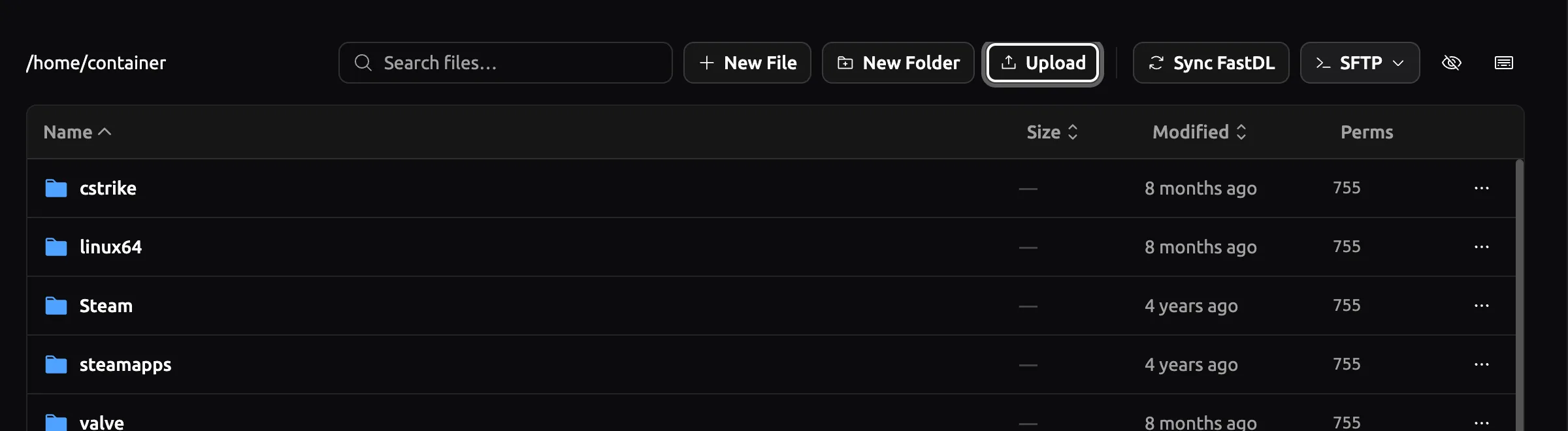
Panel as of
Step 3: Upload the plugin's other files
Copy each extra file into the folder the author names. These are the usual places.
cstrike/addons/amxmodx/configs/ the plugin's own .ini or .cfg filescstrike/addons/amxmodx/data/lang/ translation files (.txt)cstrike/sound/ custom soundscstrike/models/ custom modelscstrike/sprites/ custom spritesOn Hostsrc
Players download custom sounds, models and sprites when they join. FastDL is included on every plan, and the FastDL guide shows how to make new files available to it.
Step 4: Add the plugin to plugins.ini
Open
plugins.iniand add the file name on its own line at the end. Write the name only, without a folder. In Files, click the file name to open it in the editor.A line that starts with
;is ignored. To turn a plugin off later, put;in front of its line.Order matters when one plugin uses another. List the plugin that provides the feature above the plugin that uses it. In the editor, press Save Content when you're done.
cstrike/addons/amxmodx/configs/plugins.ini ; Custom pluginsexample_plugin.amxx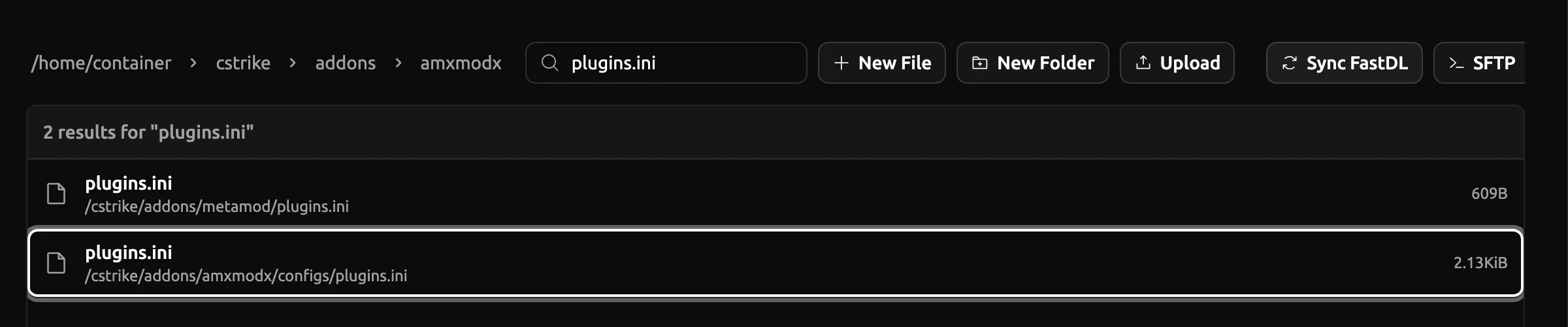
Panel as of
Warning
Edit
addons/amxmodx/configs/plugins.ini. Metamod has its ownaddons/metamod/plugins.ini, and an AMX Mod X plugin listed there won't load.Step 5: Turn on a module, if the plugin needs one
AMX Mod X loads most modules on its own when a plugin asks for them, including
cstrike,fakemetaandhamsandwich. You only editmodules.inifor SQL modules and third-party modules.To turn one on, remove the
;in front of its name, or add the name on a new line. Leave out_amxxand the file extension.cstrike/addons/amxmodx/configs/modules.ini mysqlStep 7: Check that it loaded
Type
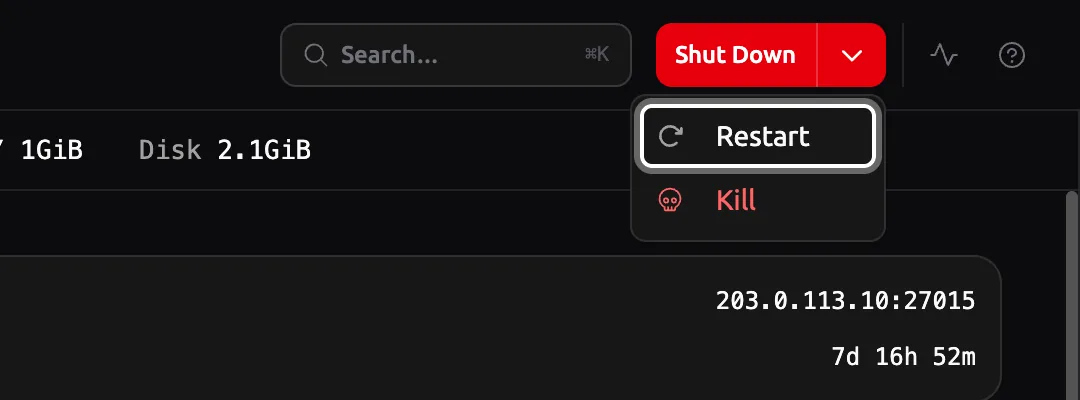
amxx pluginsin the server console and find your plugin in the list.runningmeans it loaded. Any other status, such asbad load, means it didn't, and the Troubleshooting section below covers the usual causes.If the plugin has settings (cvars), put them in
cstrike/addons/amxmodx/configs/amxx.cfgor in the config file the author names. They apply on the next map change.Console amxx plugins
Troubleshooting
The plugin shows "bad load"
Read the newest file in cstrike/addons/amxmodx/logs/. It names the exact problem. The common causes are:
- The name in
plugins.inidoesn't match the file. Check the spelling and the case. - The file is missing, or it isn't in
addons/amxmodx/plugins/. - The plugin was compiled for another AMX Mod X version. Recompile the
.smawith your version's compiler. - The file was damaged on upload, often by an FTP client in text mode. Upload it again.
The log says a module or library is required
The log line looks like Module/Library "sqlx" required for plugin. Turn the module on in modules.ini (step 5), or install the third-party module the author links. Then change the map.
The plugin isn't in the list at all
AMX Mod X never read the line. Check that you edited addons/amxmodx/configs/plugins.ini, that the line doesn't start with ;, and that you changed the map after saving. On Windows, check the file isn't named example_plugin.amxx.txt with the extension hidden.
"Run time error" with "debug not enabled"
The plugin loaded but failed while running. Add debug after its name, change the map, and send the full error from the log to the plugin's author.
example_plugin.amxx debugRemove debug once it's fixed. Debug mode makes plugins slower.
Links
- Configuring AMX Mod X (external site, opens in a new tab)
AlliedModders wiki, plugins.ini and modules.ini
- Debugging Plugins (AMX Mod X) (external site, opens in a new tab)
AlliedModders wiki, debug mode and run time errors
- Counter-Strike 1.6 server hosting
plans, the base pack and FastDL on Hostsrc
Counter-Strike 1.6 server hosting
From €5.99/month for 14 players
Frankfurt or Bucharest. Final price, no VAT added.
Build my serverStart a paid test from €1.99Discord
Ask other admins and our team.
Join our Discord (external site, opens in a new tab)Related guides
How to add an admin to a CS 1.6 server with users.ini
One line in users.ini makes a player an admin. Use their SteamID and the "ce" account flags, then reload admins. Includes the full flags table.
5 steps4 min readNew to running a serverOn Hostsrc
What FastDL is and how custom content downloads in CS 1.6
FastDL sends custom maps, models and sounds to players over HTTP instead of through the game server. How it works, how to set it up and what to check.
5 steps4 min readOn Hostsrc
How to connect to a CS 1.6 server by IP and add it to favourites
Type connect with the IP and port in the console, or add the address to your favourites. Covers passwords, ports and the favourites bug.
6 steps2 min readNew to running a serverOn Hostsrc