
Play CS 1.6 with friends without Hamachi or Radmin VPN
Run the server at an address your friends can reach, share the IP and port, and keep strangers out with a password or private access.
- Audience
- New to running a server
- Last checked
- Steps
- 6
- Reading time
- 4 min
- On Hostsrc
- Includes the steps for a Hostsrc server
You can play CS 1.6 with friends without Hamachi or Radmin VPN if the server runs at an address they can reach over the internet. There are two ways. Host it on your own PC and forward UDP port 27015 on your router, or run it on a hosted server. Your friends then join with connect and the address.
Hamachi and Radmin VPN put everyone on a virtual LAN, so a game started on one PC shows up for the others. A server with a public address needs neither. It also keeps running when the person who started it leaves.
To keep strangers out, set a server password. On Hostsrc you can also close the server to the public with private access.
Before you start
- For your own PC: access to your router's settings, and an internet connection with its own public IPv4 address.
- For a hosted server: its address and port.
- The game installed for everyone, on the same version.
Steps
Step 1: Choose where the server runs
On your own PC, it costs nothing, but your PC and connection must stay on while you play. It works only if your provider gives you a public IPv4 address and you can forward a port.
On a hosted server, it runs without your PC and has an address friends can reach from the start. Go to step 3.
Note
Some providers share one public address between many customers, called CGNAT. If the WAN address in your router doesn't match the address a "what is my IP" site shows, port forwarding won't work, and a hosted server is the way to go.
Step 2: On your own PC: start a dedicated server and forward the port
Start the server with
sv_lan 0, so it accepts players from outside your network. A dedicated server (HLDS) keeps running when you leave the game, unlike New Game in the menu.In your router, forward UDP port 27015 to your PC's local IP address. Allow the server through your PC's firewall when it asks. The start line below is for Windows. On Linux, use
./hlds_runwith the same options.Shell hlds.exe -console -game cstrike +sv_lan 0 +port 27015 +maxplayers 12 +map de_dust2Step 3: Get the address and port
On your own PC, the address is your public IPv4 address, followed by
:27015. On a hosted server, copy the address and port your host shows.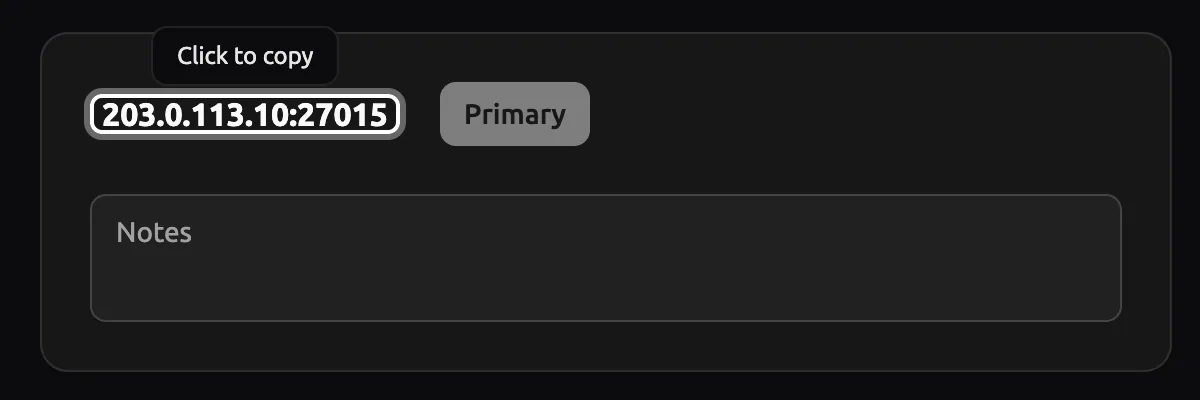
Panel as of
On Hostsrc
A server with a dedicated IPv4 uses port 27015. A server without one shares an address with other servers and gets a random port, so always copy the address with its port. Performance and Premium include a dedicated IPv4, and Essential can add one for €2/month. In the control panel, open Network and click the address to copy it with its port.
Step 5: Keep it to your friends with a password
Set a join password in
cstrike/server.cfg, as in the first block below. Leavesv_passwordempty for a public server.Your friends then type the password in the console before they connect, as in the second block.
cstrike/server.cfg sv_lan 0sv_password "pick-a-password"rcon_password "a-different-long-password"Console password "pick-a-password"connect 203.0.113.24:27042Warning
Use a different, long
rcon_password. Anyone who has it controls the server.Step 6: On Hostsrc: use private access instead
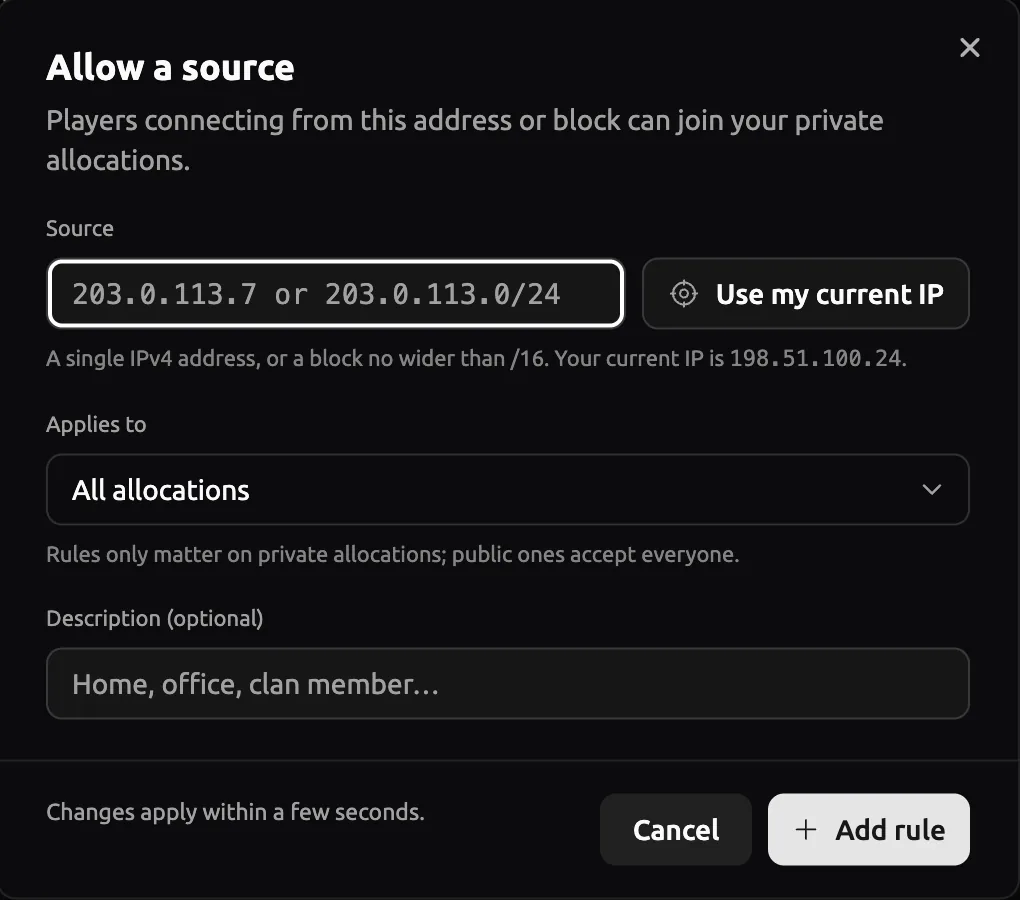
Private access lets you close any server to the public and let in only the players you choose, such as friends, testers or a scrim team. Every Hostsrc customer server has it. For now, our support team turns it on for you: open a ticket (opens in a new tab) and ask for private access. Then open Network in the control panel, choose the Firewall tab and press Add my current IP, so you can join first. For each friend, press Add rule, paste their IP address into Source, add their name under Description and press Add rule. Each friend can find their own IP address by searching "what is my IP". You can add up to 5 players yourself, and more with support's help. Changes apply within a few seconds. If a friend can't join later, their home IP address may have changed: add the new one.
Panel as of
Troubleshooting
Friends see "LAN servers are restricted to local clients (class C)"
The server runs with sv_lan 1. Set sv_lan 0 in server.cfg or on the start line, then restart the server.
It works for you but not for your friends
You are probably testing with your local address, such as 192.168.1.10, which works only inside your home network. Give friends your public address. If they still can't join, check the port forward, the firewall and CGNAT (step 1).
Friends get "Connection failed after 4 retries"
Nothing answered on that address and port. Check that the server is running, that UDP 27015 is forwarded to the right local IP, and that the firewall allows it. On a hosted server, check that your friends typed the port.
Links
- Error connecting to password-protected servers (Half-Life issue 3593) (external site, opens in a new tab)
Valve's issue tracker, why the password goes first
- Counter-Strike 1.6 server hosting
Hostsrc plans and dedicated IPv4 addresses
Counter-Strike 1.6 server hosting
From €5.99/month for 14 players
Frankfurt or Bucharest. Final price, no VAT added.
Build my serverStart a paid test from €1.99Discord
Ask other admins and our team.
Join our Discord (external site, opens in a new tab)Related guides
How to connect to a CS 1.6 server by IP and add it to favourites
Type connect with the IP and port in the console, or add the address to your favourites. Covers passwords, ports and the favourites bug.
6 steps2 min readNew to running a serverOn Hostsrc
How to add an admin to a CS 1.6 server with users.ini
One line in users.ini makes a player an admin. Use their SteamID and the "ce" account flags, then reload admins. Includes the full flags table.
5 steps4 min readNew to running a serverOn Hostsrc
How to install an AMX Mod X plugin on a CS 1.6 server
Copy the .amxx file into the plugins folder, list it in plugins.ini and change the map. Covers extra files, modules and fixes for "bad load".
7 steps4 min readOn Hostsrc