
How to make a CS 1.6 server
Order a server, set its name and passwords in server.cfg, and share its address. On Hostsrc it starts from a base pack with AMX Mod X. You can also run one yourself.
- Audience
- New to running a server
- Last checked
- Steps
- 8
- Reading time
- 4 min
- On Hostsrc
- Includes the steps for a Hostsrc server
To make a CS 1.6 server, you need the Half-Life dedicated server (HLDS) running at an address players can reach, for as long as people play. The quickest way is a hosted server. On Hostsrc you pick a plan and a location, and the server is created once your payment is confirmed. Then you set its name and passwords in server.cfg and share its address.
You can also run HLDS on your own computer or on a machine you rent. The section Running it yourself, after the steps, covers what that takes.
On Hostsrc
New servers install with xHLDS, our fork of ReHLDS, and start from our base pack. AMX Mod X, Metamod and the core configuration are already in place.
Before you start
- How many players you expect at once: 14, 24 or 32.
- Where most of them live, to choose Frankfurt or Bucharest.
- A name for the server, and a long password for RCON that you keep to yourself.
Steps
Step 1: Choose the plan and the player slots
Every plan comes with 14, 24 or 32 player slots, 2 GB RAM and 15 GB NVMe. The plans differ in CPU priority, PingBoost and what's included.
Essential runs at standard priority with PingBoost 2, from €5.99/month for 14 players. It suits MIX, CW and lighter plugin sets. Performance runs at high priority with PingBoost 2 and includes a dedicated IPv4, from €9.99/month. It suits public, respawn, Furien and HNS servers with more plugins. Premium runs at highest priority with PingBoost 3, from €12.99/month, for plugin-dense and high-load setups.
Priority decides how CPU time is split when servers on the same node are busy at the same moment. The cost guide lists every price and add-on.
Step 2: Start with a paid test, if you want to try first
A paid test runs the same server with 14 player slots for 3 or 7 days. It costs €1.99 to €3.99 for 3 days and €2.99 to €6.49 for 7 days, depending on the plan.
Use it to check your plugins and your players' ping. When you're happy, convert the same server to a monthly plan with the slot count you need.
Step 3: Order the server
Open the CS 1.6 hosting page, build the server with the plan and slots you chose, and go to checkout. You pick Frankfurt or Bucharest there.
The server is created automatically, in under 10 seconds once your payment is confirmed. With a bank transfer, that is when the payment arrives.
Step 4: Open your server in the control panel
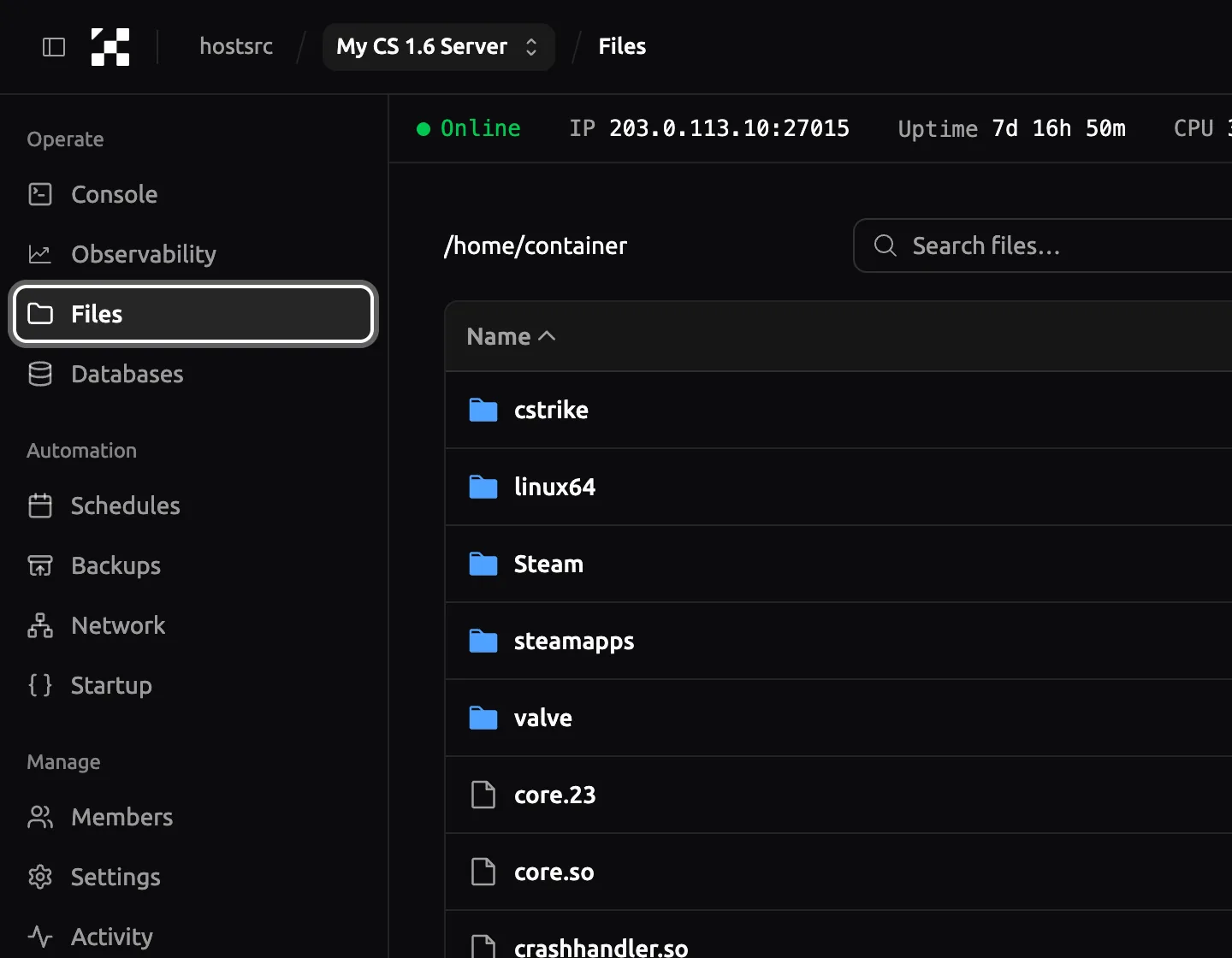
Go to control.hostsrc.com (opens in a new tab) and sign in with your Hostsrc account, by email code, Google or Discord. Open your server. Its menu has Console, Files, Network and the other pages these steps use.
Panel as of
Step 5: Set the name and passwords in server.cfg
In Files, open
cstrike/server.cfgand set the lines below. Press Save Content when you're done.hostnameis the name players see in the server browser.rcon_passwordlets you run server commands from your game, so keep it long and private. Leavesv_passwordempty for a public server, or set it so players need a password to join.mp_timelimitis the minutes each map runs.cstrike/server.cfg hostname "My CS 1.6 Server"rcon_password "a-long-password-only-you-know"sv_password ""mp_timelimit 30On Hostsrc
Leave the
sv_downloadurlline as it is. We set it inserver.cfgeach time the server starts, so FastDL works without you setting it.Step 7: Connect and share the address
Open Network and click the address to copy it with its port. In the game console, type
connectand paste it.A server with a dedicated IPv4 uses port 27015. A server without one shares an address with other servers and gets a random port, so always share the full address with the port.
Console connect 203.0.113.10:27015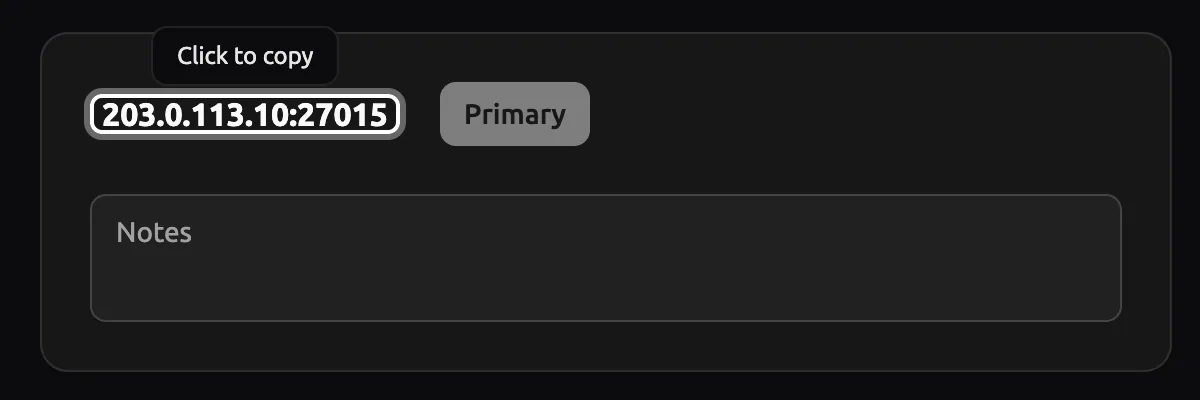
Panel as of
Step 8: Make yourself admin and add plugins
Add your SteamID to
users.inito get admin rights, then add plugins one at a time and check each one loads. The admin guide and the plugin guide have the steps.
Running it yourself
You can run a CS 1.6 server without a host. You need:
- A computer or a rented server that stays on while people play.
- A public IPv4 address, with UDP port 27015 forwarded to the machine if it sits behind a router.
- SteamCMD, Valve's command-line tool that downloads HLDS.
Download HLDS (app 90) with SteamCMD. The download often stops before it finishes, so run the same line again until it says Success! App '90' fully installed.
steamcmd +force_install_dir ./hlds +login anonymous +app_set_config 90 mod cstrike +app_update 90 validate +quitThen start the server from its folder. On Windows, use hlds.exe -console with the same options.
./hlds_run -game cstrike +maxplayers 16 +map de_dust2 -port 27015Metamod, AMX Mod X and ReHLDS are separate downloads that you install and update yourself. The ReHLDS reference covers installing ReHLDS, and the guide to playing with friends covers port forwarding and CGNAT.
Troubleshooting
The server doesn't show my new name
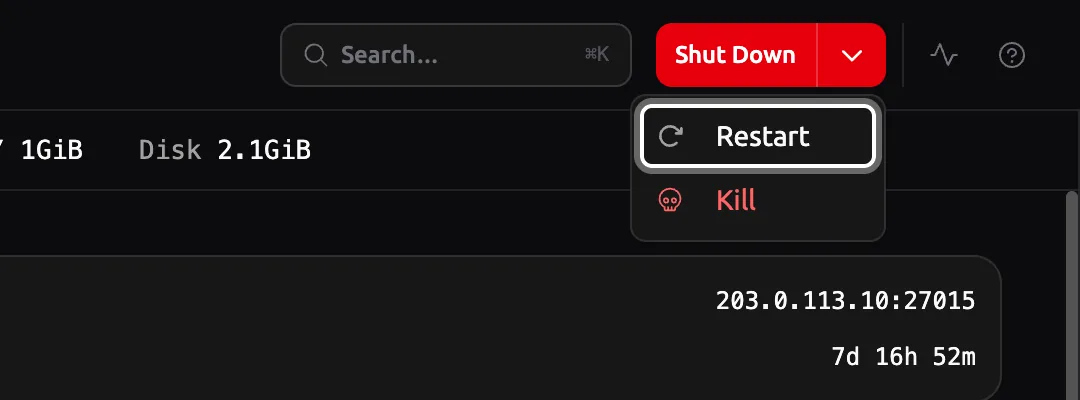
The server reads hostname from server.cfg only when it starts or changes map. Restart it or change the map. If the old name stays, another line further down the file, or another config, sets it again.
Players can't join after I set sv_password
They need to type the password in the console before they connect: password "your-password", then connect with the address. The connect guide explains why.
Links
- Counter-Strike 1.6 server hosting
plans, paid tests and the server configurator
- Ping test
your ping to our locations, measured from your browser
- SteamCMD (external site, opens in a new tab)
Valve Developer Community, downloading dedicated servers
- Half-Life Dedicated Server (external site, opens in a new tab)
Valve Developer Community, HLDS and its start options
Counter-Strike 1.6 server hosting
From €5.99/month for 14 players
Frankfurt or Bucharest. Final price, no VAT added.
Build my serverStart a paid test from €1.99Discord
Ask other admins and our team.
Join our Discord (external site, opens in a new tab)Related guides
How much does it cost to host a CS 1.6 server?
On Hostsrc a CS 1.6 server costs €5.99 to €19.99/month, by plan and by 14, 24 or 32 slots. Paid tests start at €1.99. What changes the price, with every add-on.
6 steps4 min readNew to running a serverOn Hostsrc
How to connect to a CS 1.6 server by IP and add it to favourites
Type connect with the IP and port in the console, or add the address to your favourites. Covers passwords, ports and the favourites bug.
6 steps2 min readNew to running a serverOn Hostsrc
How to add an admin to a CS 1.6 server with users.ini
One line in users.ini makes a player an admin. Use their SteamID and the "ce" account flags, then reload admins. Includes the full flags table.
5 steps4 min readNew to running a serverOn Hostsrc
How to install an AMX Mod X plugin on a CS 1.6 server
Copy the .amxx file into the plugins folder, list it in plugins.ini and change the map. Covers extra files, modules and fixes for "bad load".
7 steps4 min readOn Hostsrc